Nuxt + WebSockets Starter
Realtime live cursors, presence, and emoji reactions over a WebSocket
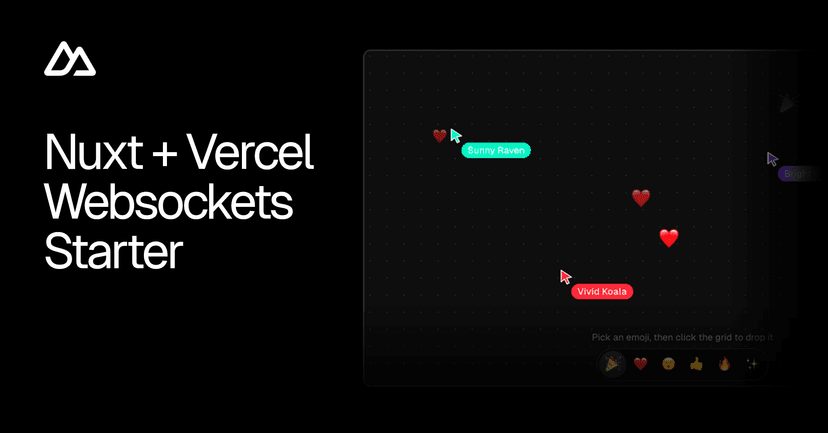


Nuxt + WebSockets Starter
Minimal realtime starter built with Nuxt (Nuxt 5 + Nitro v3), Nuxt UI, and the Vercel Functions WebSockets beta. Move your cursor and everyone in the room sees it live — presence, cursors, and emoji reactions over a single WebSocket connection. No auth, no client SDK.
Deploy
No environment variables and no external services — the realtime layer runs entirely on native WebSocket pub/sub (see How it works).
Run locally
1 npx giget@latest gh:vercel/examples/websockets/nuxt my-realtime-app
2 cd my-realtime-app
3
pnpminstall
4 pnpm dev
Open http://localhost:3000 in two browser tabs (or share the URL) to see live cursors, presence, and reactions.
How it works
A Vercel Function can accept a WebSocket upgrade and keep a bidirectional connection open. Nitro v3 — which powers Nuxt's server — ships native WebSocket support through crossws, enabled with a single flag:
1 // nuxt.config.ts
2
exportdefaultdefineNuxtConfig({
3
nitro:{
4
experimental:{
5
websocket:true,
6
},
7
},
8 })
The headline: one transport, every environment. The same defineWebSocketHandler at /api/ws powers local dev and production — locally through Nitro's dev server, on Vercel through the preset's crossws/adapters/vercel bridge, which hands the handler the runtime's socket upgrade. There's no Vercel-specific code path and no experimental_upgradeWebSocket bridge to maintain.
All room logic lives in the handler server/api/ws.ts itself.
State and pub/sub
Each connection subscribes to a single room topic. Cursor moves, reactions, and join/leave events are broadcast with crossws's native peer.publish ( server/api/ws.ts) — no external store and no client SDK. The connected roster is held in memory and replayed to each client in the welcome frame on connect, so a reconnect rebuilds it from scratch.
Architecture
Reconnects
1 app/
5
6 shared/
2 ├── pages/index.vue # page composition
7
└── types/realtime.ts # ClientMessage/ServerMessage/Peer
9 server/
WebSocket connections close when a Vercel Function reaches its maximum duration. The client reconnects with exponential backoff and reloads the roster from the welcome frame on each new connection — see useRealtime.ts (app/composables/useRealtime.ts).
11 └── utils/
10
├── api/ws.ts # /api/ws — native WebSocket handler
4
└── components/ # LiveCanvas,Cursor,PresenceBar,HeroBackdrop
12
└── identity.ts # anonymous identity(name + color) per connection
A lightweight heartbeat ( ping/ pong) runs over the same socket so the client can detect a half-open connection (a missed pong) and force a reconnect. On disconnect, the server's close/ error handlers publish a leave frame so the peer drops from everyone's roster.
Adapting this starter
- Identity — swap the anonymous name/color in server/utils/identity.ts ( server/utils/identity.ts) for your authenticated user.
- New message types — add a variant to ClientMessage / ServerMessage in shared/types/realtime.ts ( shared/types/realtime.ts), then handle it in the handler ( server/api/ws.ts). The types are shared, so the client and server stay in sync.
- Rooms — key the topic by a room id to isolate multiple rooms. Nitro also derives a pub/sub namespace from the connection path, so per-room routes work out of the box.
Links
License
Published under the MIT license.