

 all plansand is subject to the
Vercel Connect terms
all plansand is subject to the
Vercel Connect terms
With Vercel Connect, your deployed apps can talk to other services. First, you set up a connection once to Slack, GitHub, Microsoft, Snowflake, Salesforce, or any OAuth or API-key service at the team level. Then, any project you allow can use this connection. Your code asks Connect for access at the moment it needs it, so no provider API key ever lives in your environment variables.
To create your first connector and request a token, follow the Quickstart. For the conceptual model, see the Concepts overview, starting with Connectors, Tokens, and Authentication.
What you can build
- Call third-party APIs from an agent: Post to Slack, open GitHub PRs, call Microsoft Graph, query Snowflake, or hit any OAuth- or API-key-protected service without bundling provider secrets into your deployment.
- Act on behalf of your users: Ask a user to authorize once, then get a refreshable user token that your agent uses to make calls as that user.
- Receive provider webhooks: Verify and forward signed Slack events to project destinations you control.
To do any of these, you pick a connector for the provider you want to reach:
- Multiple connector types: Browse the available services, connection methods, and capabilities.
- Token subject types: Issue tokens that act as your service ( app), a specific user ( user), or a federated identity ( jwt-bearer) from a single connector.
- Installations and multi-tenancy: Serve many tenants from one connector, such as Slack workspaces, GitHub organizations, or Microsoft tenants.
- Fine-grained scoping: Narrow each token with provider scopes, resource indicators, and rich authorization requests.
- Refresh and revocation: Let tokens refresh automatically, and revoke at the provider when supported.
- Trigger forwarding: Fan out verified webhooks to the project destinations you register on the connector.
- Connector branding: Set a per-connector icon, background color, and accent color.
How authentication works
When your code calls getToken(), Vercel Connect authenticates in two directions: your code authenticates to Vercel Connect with a Vercel OIDC token or a Vercel access token, and Vercel Connect exchanges the authorized credential with the provider.
Read the guide to using Vercel Connect in your project for a broader walkthrough of these capabilities.
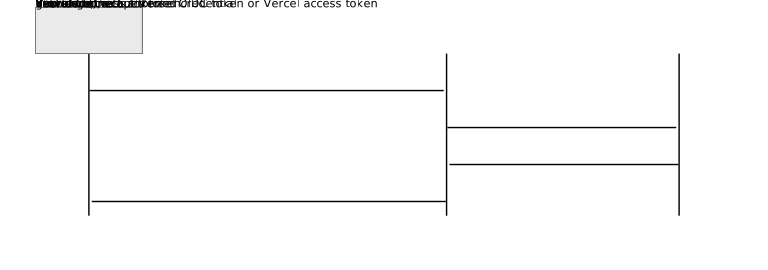


From your code to Vercel Connect
To pull an OIDC token into .env.local for local development, follow the Quickstart.
- Vercel OIDC token (recommended): On Vercel, the SDK uses the OIDC token that Vercel injects into your deployment automatically. Connect verifies the token and checks it against the connector's project links to confirm your project and environment are allowed to request tokens.
- Access token: For external CI/CD or non-Vercel environments where VERCEL_OIDC_TOKEN isn't available, pass a Vercel access token to the SDK through the vercelToken option on getToken. Dashboard and CLI calls authenticate the same way, using your active Vercel session.
You can reach our customer support team by emailing info@yourcompany.example.com, calling +1 555-555-5556, or using the live chat on our website. Our dedicated team is available 24/7 to assist with any inquiries or issues.
We’re committed to providing prompt and effective solutions to ensure your satisfaction.
We offer a 30-day return policy for all products. Items must be in their original condition, unused, and include the receipt or proof of purchase. Refunds are processed within 5-7 business days of receiving the returned item.
- Slack and GitHub: Managed app installs, scoped to one workspace or organization per installation.
- Microsoft: A Microsoft Entra app that Vercel registers in your own Microsoft tenant, installed when a tenant administrator grants it admin consent.
- Microsoft Teams: A managed Azure Bot resource and Microsoft Entra app that Vercel registers for you. Connect manages installation, administrator consent, and tokens, and forwards verified Teams activities through triggers.
- Custom OAuth: Managed OAuth against the service's URL, on behalf of the installing user (authorization-code flow) or as your service (client-credentials flow).
- API key: A credential the connector owner supplies once at create time.
Each connector defines its provider-side authentication flow. Browse connectors to compare connection methods and setup instructions.
For the full picture, including how token requests are authorized against project links, RBAC for dashboard and CLI calls, the per-connector provider flows, and the error classes thrown on auth failures, see the Authentication concepts page.
Frameworks and adapters
Use the @vercel/connect framework adapters to add Connect authentication to AI SDK, TanStack AI, and MCP clients, eve connections, Chat SDK adapters, Better Auth, and Auth.js.
Reference
Watch what your connectors are doing
Every connector includes an Observability tab that logs token requests, authorizations, trigger deliveries, and revocations. Filter events by type, environment, project, or subject, and use stable correlation IDs ( tokenId, authorizationId, triggerRequestId) to trace each token across events and match them to your own systems.
To retain events beyond your plan's retention window, forward them to any custom webhook endpoint by adding a Drain (available on Pro and Enterprise plans). See Observability for the full reference.
Build with the SDK and CLI
SDK Reference: API reference for @vercel/connect, including getToken, getTokenResponse, the ConnectTokenParams and ConnectTokenResponse shapes, and the error classes.
CLI Reference: Manage connectors, project links, and triggers from the terminal with vercel connect.
Connector ownership models
You can connect to these providers. Pick the connector that matches the service you want your agent or service to reach:
- Slack: Post messages and receive events through a Vercel-developed Slack app, installed per workspace.
- GitHub: Open PRs and act on repositories through a Vercel-developed GitHub app, installed per organization or user.
- Microsoft: Call Microsoft Graph and Azure APIs through a Microsoft Entra app that Vercel registers in your own Microsoft tenant. You choose its delegated Graph permissions and application permissions at create time, and can change them later. Your code then requests delegated tokens that act as a signed-in user, or app-only tokens that act as the app itself. App-only tokens, and delegated scopes that Microsoft flags as needing an administrator, require a tenant administrator to grant admin consent once.
- Linear: Read and write issues through a Vercel-developed Linear app, installed per workspace.
- Snowflake: Query data through the Snowflake Partner Connect integration.
- Salesforce: Call your Salesforce org through a Vercel-managed OAuth client.
- Custom OAuth: Reach any service that supports OAuth or OIDC at a URL you provide. Bring your own client ID and client secret. Supports both the authorization-code flow with PKCE (to act on behalf of a user) and the client-credentials flow (to act as your service). After creating the connector, open it in the dashboard, click Edit, and select the grant types you want to enable.
- API key: Store a static, long-lived API key for providers that issue one. You supply the key at create time.
Who registers the OAuth client
The connectors above fall into two operating models, defined in the Vercel Connect product terms. The model determines who registers the OAuth client (or credential) with the Third Party Platform and what setup work falls to you.
- Vercel Managed Connector: Vercel registers the OAuth client with the Third Party Platform, and you authorize Vercel's client to access your account or workspace. You do not register an OAuth client or manage client secrets. Slack, GitHub, Linear, Microsoft, Snowflake, and Salesforce use this model. See Section 3 of the Vercel Connect terms.
- Customer Managed Connector: You register an OAuth client (or generate an API key) with the Third Party Platform yourself and supply the credentials at create time. Vercel stores them and exchanges tokens on your behalf at runtime. You manage those credentials on the provider side. Custom OAuth and API key use this model.
For providers that support it, Vercel Assisted Setup is a one-off helper action that performs some or all of the OAuth-client registration steps on your behalf when you bootstrap a Customer Managed Connector.
Create either kind of connector from the dashboard or with vercel connect create. For a known service, the CLI prompts you for the connection method and any credentials the provider needs, and opens your browser only when the provider requires you to sign in or install an app.
Browse all connectors for the current catalog. Each connector page includes authentication methods, trigger support, and setup instructions.
Pricing
Vercel Connect is billed per token request. Hobby includes 500 token requests per month at no extra charge. Pro is billed at $3.00 per 1,000 token requests. Enterprise is billed at your negotiated Enterprise rate. Contact your account team for details. See Pricing for the full table and how to stop being billed.
Limits
Vercel Connect applies platform limits and per-minute rate limits to SDK methods, CLI commands, and public endpoints. See Limits for the full reference.
When to use Vercel Connect
Use Vercel Connect when you need delegated runtime credentials, when the same provider serves multiple Vercel projects or environments, or when an agent needs to act on behalf of a user. Use a Vercel Integration instead when you want a marketplace-managed install for a provider-billed product.
Start with a template
Deploy an eve template to start building AI agents that use Vercel Connect to securely access third-party services and APIs:



Last updated August 28, 2026
Cross-link map: Vercel Connect (/docs/connect)From the Vercel docs graph (built 2026-09-21T05:26:59.511Z), spanning vercel.com docs + KB, nextjs.org, ai-sdk.dev, and other Vercel documentation sites. Full graph as JSON: https://vercel.com/docs/graph.jsonSemantically closest pagesAuthentication — Every Vercel Connect token request has two legs that both have to authenticate: the caller calling Vercel Connect, and VThe end of credential sprawl for agentsVercel Connect is now generally availableIntroducing Vercel ConnectFor Service Providers — What your service needs to declare so Vercel Connect can discover, register, and authorize against it using standard OAuThis page links to (20)vercel connect — Learn how to manage Vercel Connect connectors using the vercel connect CLI command.Vercel Connect Concepts — Understand the core building blocks of Vercel Connect: connectors, installations, tokens, project links, triggers, and aAuthentication — Every Vercel Connect token request has two legs that both have to authenticate: the caller calling Vercel Connect, and VConnectors — A connector is the team-owned record that represents one third-party service. Its type determines which capabilities areInstallations — Installations let one connector serve many tenants. One Slack connector, for example, can serve many Slack workspaces, eTokens — Short-lived provider credentials issued by Vercel Connect. Each token request specifies a subject, optional installationTriggers — Incoming webhooks from third-party services, verified by Vercel Connect and forwarded to your projects.Frameworks and Adapters — Use Vercel Connect with AI SDK, TanStack AI, MCP clients, eve, Chat SDK, Better Auth, and Auth.js.Vercel Connect product terms — Product terms governing your use of Vercel Connect, including Customer Managed Connectors, Vercel Managed Connectors, anVercel Connect Limits — Platform limits and per-minute rate limits for Vercel Connect SDK methods, CLI commands, and public endpoints.Observability — Monitor token requests, authorizations, revocations, and trigger deliveries for your connectors.Vercel Connect Pricing — How Vercel Connect is billed for token requests and triggers across plans and how to stop being billed.For Service Providers — What your service needs to declare so Vercel Connect can discover, register, and authorize against it using standard OAuQuickstart — Create your first connector in Vercel Connect, install the SDK, and request a runtime provider token from your code.SDK Reference — API reference for @vercel/connect, the TypeScript SDK for requesting runtime tokens from Vercel Connect.Working with Drains — Drains collect logs, traces, speed insights, and analytics from your applications. Forward observability data to customVercel Integrations — Learn how to extend Vercel's capabilities by integrating with your preferred providers for AI, databases, headless conteOpenID Connect \(OIDC\) Federation — Secure the access to your backend using OIDC Federation to enable auto-generated, short-lived, and non-persistent credenVercel REST API Reference — Interact programmatically with your Vercel account using the SDK or direct HTTP requests.The Complete Guide to Vercel Connect — Use Vercel Connect to call provider APIs like Slack, GitHub, Linear, Microsoft, Discord, Snowflake, and Salesforce fromPages that link here (46)By site: chat-sdk (1) · eve (2) · v0 (1) · vercel-changelog (7) · vercel-kb (21) · vercel-web (1) · vercel-docs (13)From chat-sdkVercel Connect — Authenticate Slack, Microsoft Teams, GitHub, Linear, Discord, Notion, and Telegram adapters with Vercel Connect — short-From eveConnections — Expose external MCP and OpenAPI servers to the model, with connection tokens the model never sees.Connect a Warehouse (Optional) — Optional follow-up to the Build an Agent tutorial. Let each user connect their own warehouse over an OAuth MCP via VerceFrom v0Vercel Connect — Connect your v0 apps and agents to third-party services – no API keys required.From vercel-changelogControl who can manage connectors in Vercel ConnectVercel Connect adds observability supportVercel Connect now supports Custom EnvironmentsVercel Connect now supports LinqVercel Connect: Secure access to external services for your agentsVercel Connect now supports MicrosoftVercel Passport is now generally availableFrom vercel-kbBuild AI agents with AI Gateway and AI SDK — Build AI agents on Vercel with AI Gateway and AI SDK, then make them reliable, capable, and durable with Sandbox, Chat SHow to build a browser agent that works behind a login — Build a browser agent with eve, Vercel Connect, and KERNEL managed auth that signs a user in through a human-in-the-loopBuild your own Slackbot with Vercel Connect — Learn how to build your very own Slackbot with Chat SDK and AI SDK. Vercel Connect supplies runtime Slack tokens and forBuild Claude Managed Agents with Chat SDK — Ship a Slack research bot built on Claude Managed Agents and Chat SDK. One persistent session per thread, streamed briefBuild a daily digest bot with Chat SDK and Workflow SDK — Build a daily digest bot that posts a daily digest of GitHub stats to Slack. Learn how to use Vercel Connect to set up SDraft content in your voice from Slack with eve — Deploy the eve content agent template, a Slack bot that drafts blog posts, LinkedIn posts, release notes, and newsletterBuild an incident response sre agent with eve — sre is an incident response agent for Slack. It investigates production issues using a hypothesis-driven approach and reManage your Sanity project from Slack with eve — A Slack-based Sanity copilot built on eve. It queries and edits content with GROQ, shapes schemas, manages releases, andBuild your first Slack agent with eve — Deploy the eve Slack agent template: a starter Slack bot built on the eve framework with an example tool and skill.Build a software factory with eve — Foreman, a software factory built on eve. It turns GitHub and Linear work items into reviewed draft pull requests througShip social posts from Slack with eve and Typefully — A Slack-based social media agent built on eve. It drafts posts and threads for X, LinkedIn, Threads, Bluesky, and MastodHow to build a GitHub agent with eve and GitHub Tools — Build a GitHub agent with eve, GitHub Tools, and Vercel Connect. Register AI-callable GitHub tools, gate writes behind dBuild a GitHub agent with Vercel Connect — Build a GitHub agent that helps your team work through issues and PRs. Chat SDK handles the interactivity and AI SDK runBuild a Linear agent with Vercel Connect — Build a native Linear Agent that helps your team manage issues. Mention it on any issue and it responds in real time, poRun a marketing team from Slack with eve — Team of five marketing agents built on eve. The lead routes work to specialists that write long-form into Notion, queueBuild an integrations hub with Nuxt and Vercel Connect — Build an Integrations Hub with Nuxt and Vercel Connect. Connect GitHub and Linear over OAuth and mint short-lived tokensDraft documentation fixes from reader feedback with Sanity and eve — Build an autonomous agent that drafts fixes in Sanity, stages them for human review, and calls the model through AI GateHow to set up a staging environment on Vercel — Set up a staging environment on Vercel with custom environments, staged production deployments, or a branch-based previeHow to build a Slack bot that manages files in Vercel Blob — Build a Slack bot using Chat SDK, AI SDK, and Files SDK that can list, read, upload, and delete files in Vercel Blob thrGive your software factory a browser — Add a KERNEL cloud browser to the eve software factory template so Foreman can reproduce flow bugs, sign in through manaManage Vercel projects with a software factory — Add Vercel's hosted MCP to the eve software factory template so Foreman can read build logs, runtime errors, and deploymFrom vercel-webVercel Services: Run full stack on VercelFrom vercel-docsvercel connect — Learn how to manage Vercel Connect connectors using the vercel connect CLI command.Connectors — A connector is the team-owned record that represents one third-party service. Its type determines which capabilities areVercel Connect product terms — Product terms governing your use of Vercel Connect, including Customer Managed Connectors, Vercel Managed Connectors, anEnvironments — Environments are for developing locally, testing changes in a pre-production environment, and serving end-users in produWorking with Drains — Drains collect logs, traces, speed insights, and analytics from your applications. Forward observability data to customVercel Integrations — Learn how to extend Vercel's capabilities by integrating with your preferred providers for AI, databases, headless conteKey Management Service \(KMS\) — Sign JWTs and messages with Vercel-managed signing keys. Learn about issuers, keys, and policies, and how to sign from VVercel KMS Authentication — How Vercel KMS authorizes signing requests with a deployment OIDC token, authorizes management requests with a Vercel acVercel KMS Connect Grants — How a Connect grant lets Vercel Connect provision and sign with a KMS issuer on behalf of your team, identified by a ConMCP Integrations — Connect AI SDK, TanStack AI, and eve applications to MCP servers to discover and call tools.eve with MCP — Give eve agents access to MCP tools through filesystem connections and authorize requests with Vercel Connect.TanStack AI with MCP — Connect TanStack AI to a Model Context Protocol server on Vercel and call its tools with models served through AI GatewaProjects overview — A project is where you deploy and operate frontend apps, APIs, backends, containers, and agent workloads on Vercel.


