Platforms Starter Kit
Next.js template for building multi-tenant applications with the App Router and Redis.
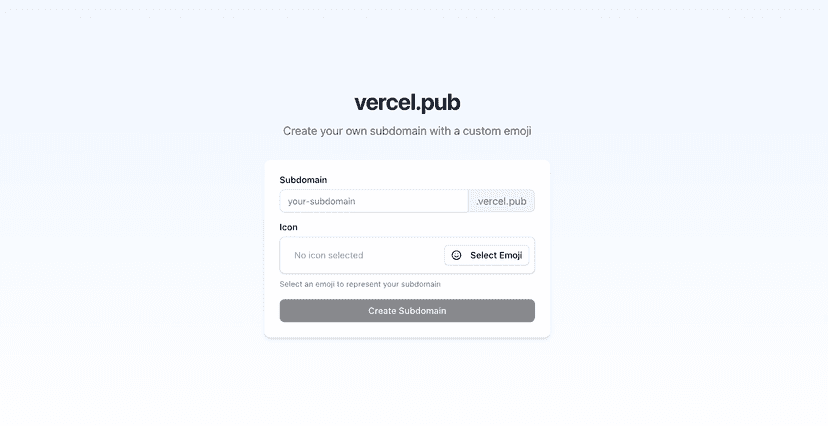


Next.js Multi-Tenant Example
A production-ready example of a multi-tenant application built with Next.js 15, featuring custom subdomains for each tenant.
Features
- ✅ Custom subdomain routing with Next.js middleware
- ✅ Tenant-specific content and pages
- ✅ Shared components and layouts across tenants
- ✅ Redis for tenant data storage
- ✅ Admin interface for managing tenants
- ✅ Emoji support for tenant branding
- ✅ Support for local development with subdomains
- ✅ Compatible with Vercel preview deployments
Getting Started
Prerequisites
- Next.js 15 with App Router
- React 19
- Upstash Redis for data storage
- Tailwind 4 for styling
- shadcn/ui for the design system
You can reach our customer support team by emailing info@yourcompany.example.com, calling +1 555-555-5556, or using the live chat on our website. Our dedicated team is available 24/7 to assist with any inquiries or issues.
We’re committed to providing prompt and effective solutions to ensure your satisfaction.
We offer a 30-day return policy for all products. Items must be in their original condition, unused, and include the receipt or proof of purchase. Refunds are processed within 5-7 business days of receiving the returned item.
- Clone the repository: 1 git clone https://github.com/vercel/platforms.git 2 cd platforms
- Install dependencies:
1
pnpminstall
- Set up environment variables: Create a .env.local file in the root directory with: 1 KV_REST_API_URL=your_redis_url 2 KV_REST_API_TOKEN=your_redis_token
- Start the development server: 1 pnpm dev
- Access the application:
- Main site: http://localhost:3000
- Admin panel: http://localhost:3000/admin
- Tenants: http://[tenant-name].localhost:3000
Multi-Tenant Architecture
This application demonstrates a subdomain-based multi-tenant architecture where:
- Each tenant gets their own subdomain ( tenant.yourdomain.com)
- The middleware handles routing requests to the correct tenant
- Tenant data is stored in Redis using a subdomain:{name} key pattern
- The main domain hosts the landing page and admin interface
- Subdomains are dynamically mapped to tenant-specific content
The middleware ( middleware.ts) intelligently detects subdomains across various environments (local development, production, and Vercel preview deployments).
Deployment
This application is designed to be deployed on Vercel. To deploy:
- Push your repository to GitHub
- Connect your repository to Vercel
- Configure environment variables
- Deploy
For custom domains, make sure to:
- Add your root domain to Vercel
- Set up a wildcard DNS record ( *.yourdomain.com) on Vercel